There are two rooms in my house that use underfloor heating, and I built a way to monitor this system using Home Assistant. This uses an ESP8266, and ESPhome (see my HVACmon page for more info about those).
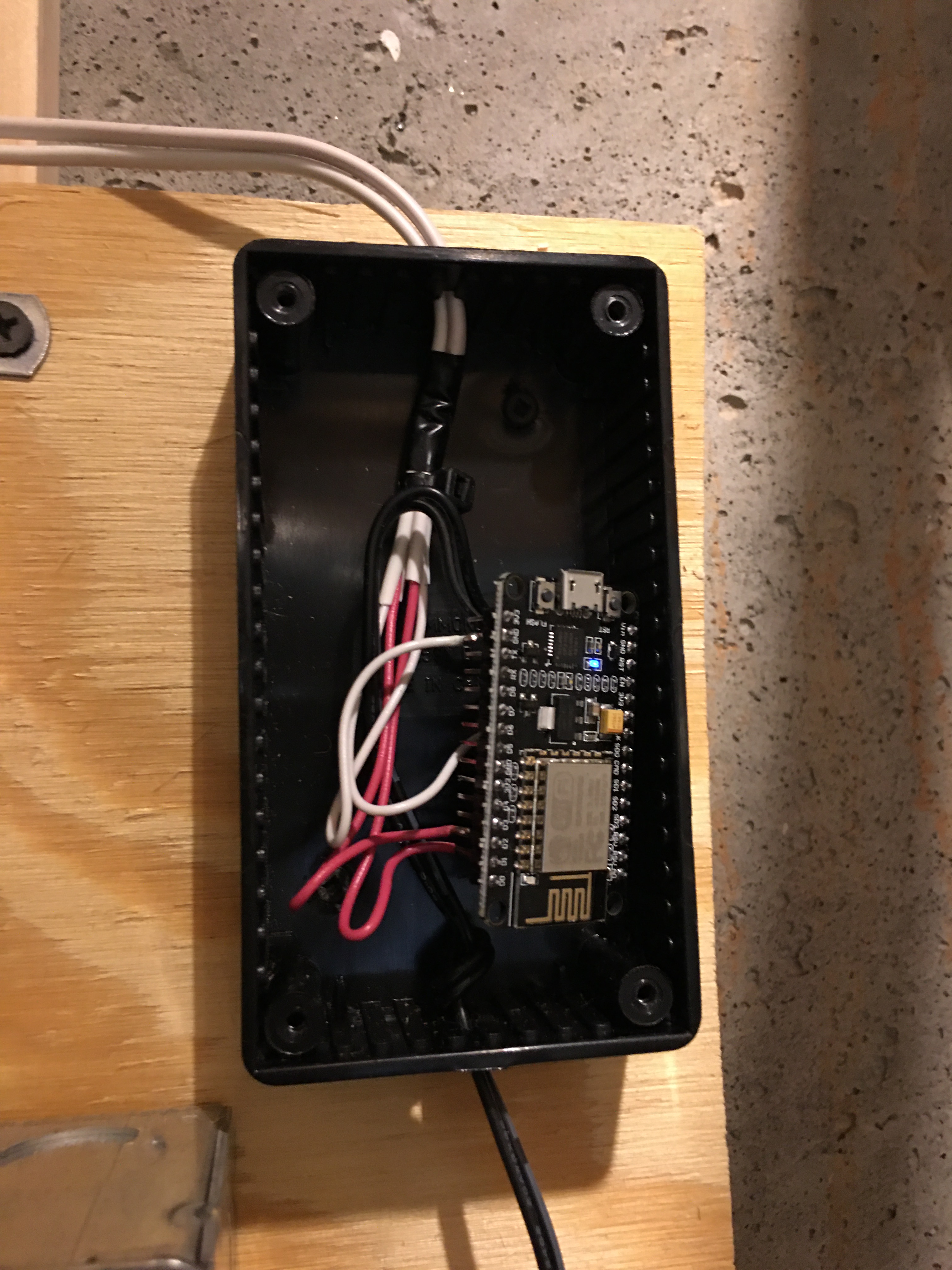
The pumps are each controlled by a simple thermostat connected to an HVAC relay box. Each relay box had a spare unused “pole” – in other words, a spare contact that will close when the pump is running and open when it is not. This was simple to hook to the ESP8266: connect one side of the contact to ground, and connect the other to the ESP8266 with a pullup resistor. This was simple to wire by hand, no PCB needed.
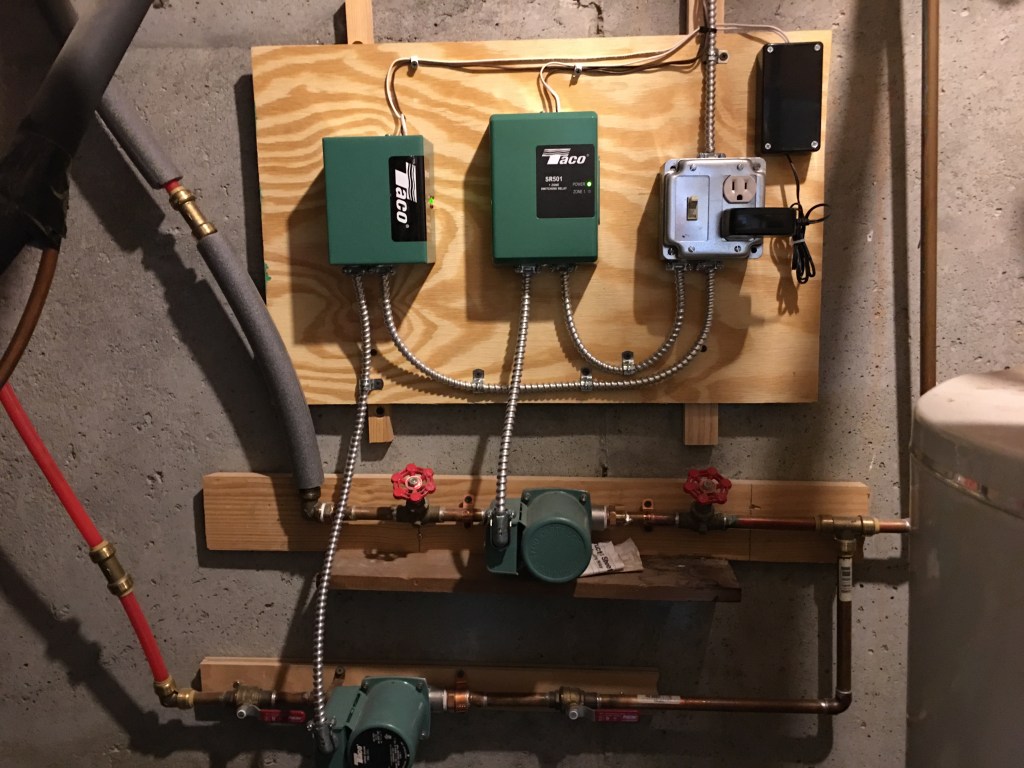
Here is a view of the pumps and relays. The black box on the upper right is the monitor, powered by a +5VDC adapter.
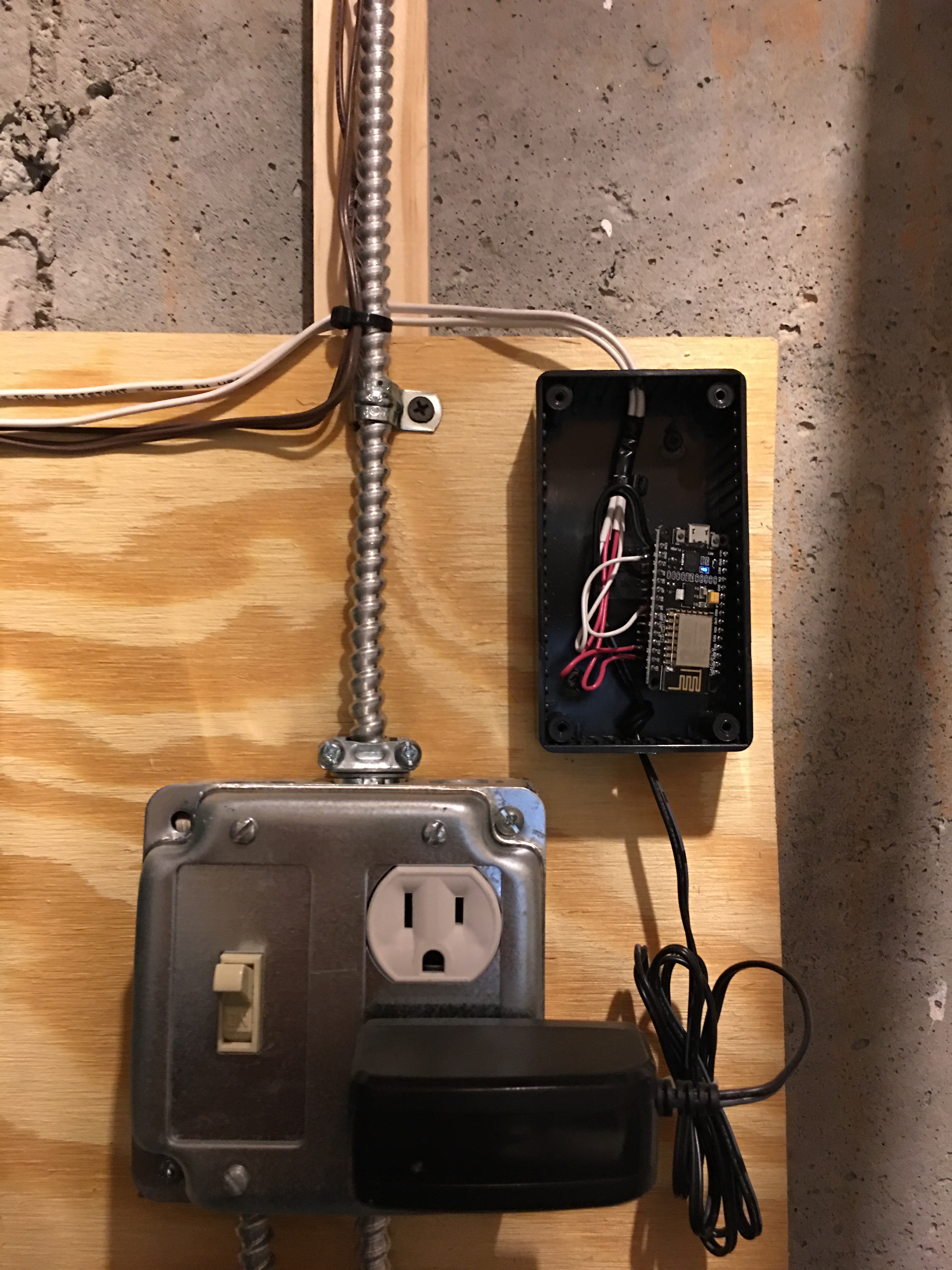
And a closer look at the ESP8266 wiring:
The main part of the .yaml is very simple:
binary_sensor:
  - platform: gpio
    name: "Sun Room Pump"
    pin:
      number: D2
      inverted: True
      mode: INPUT_PULLUP
  - platform: gpio
    name: "Master Bath Pump"
    pin:
      number: D1
      inverted: True
      mode: INPUT_PULLUP
On my Home Assistant dashboard I have an Entity card showing if the pump is running, and a Sensor card showing how much the pump ran on the previous day.
I use a History Statistics element to calculate usage over the last day:
  - platform: history_stats
    name: Downstairs Floor Heat Yesterday
    entity_id: binary_sensor.sun_room_pump
    state: 'on'
    type: time
    end: '{{ now().replace(hour=0, minute=0, second=0) }}'
    duration:
      hours: 24
and a Sensor Template that combines the usage of the two pumps into one measurement which tells me how many combined hours of usage we had over the last 24 hours:
  - platform: template
    sensors:
      floor_heat_run_time_yesterday:
        friendly_name: "Floor Heat yesterday"
        unit_of_measurement: 'hour'
        value_template: "{{
            '%.2f'% ( states('sensor.downstairs_floor_heat_yesterday')|float +
            states('sensor.upstairs_floor_heat_yesterday')|float ) | float }}"
 howardpinder.com